LUNA AI Art Generator: Turn Your Words Into Stunning Art
LUNA is an AI art generator app that lets you create stunning images from text prompts — including anime, fantasy, portraits, and photorealistic art — in seconds on your phone. Available on iOS and Android.


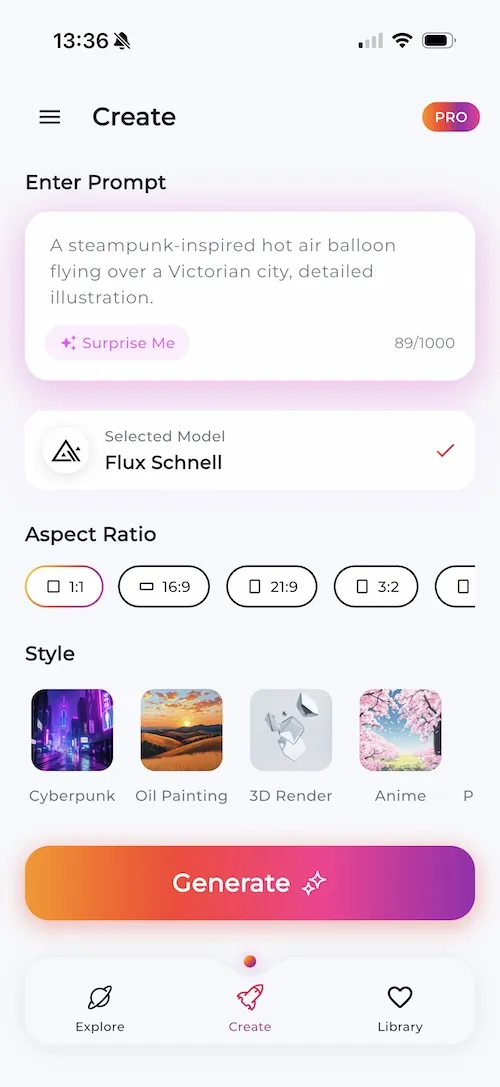
Why LUNA Is the Best AI Art Generator App
We combine cutting-edge AI models with an interface anyone can use. LUNA is your all-in-one AI image generator — a creative tool that turns ideas into art, no design skills needed.
Instant AI Art Generation
Create images in under 5 seconds with our optimized AI engine.
4K High Resolution Output
Print-ready quality for every creation you make.
20+ AI Models
Access the latest AI models, constantly updated.
Text to Image AI Art Creator
Enter any text prompt and watch our AI art generator transform your words into breathtaking digital art with incredible accuracy.
AI Portrait Generator
Turn selfies into AI portraits or create entirely new ones. From professional headshots to artistic interpretations.
Anime AI Art Generator
Create authentic anime art in styles from Studio Ghibli-inspired to modern shonen, dark seinen, and cyberpunk aesthetics.
Fantasy AI Art Generator
Build entire worlds with mystical creatures, ancient ruins, and magic-infused landscapes. Your imagination is the only limit.
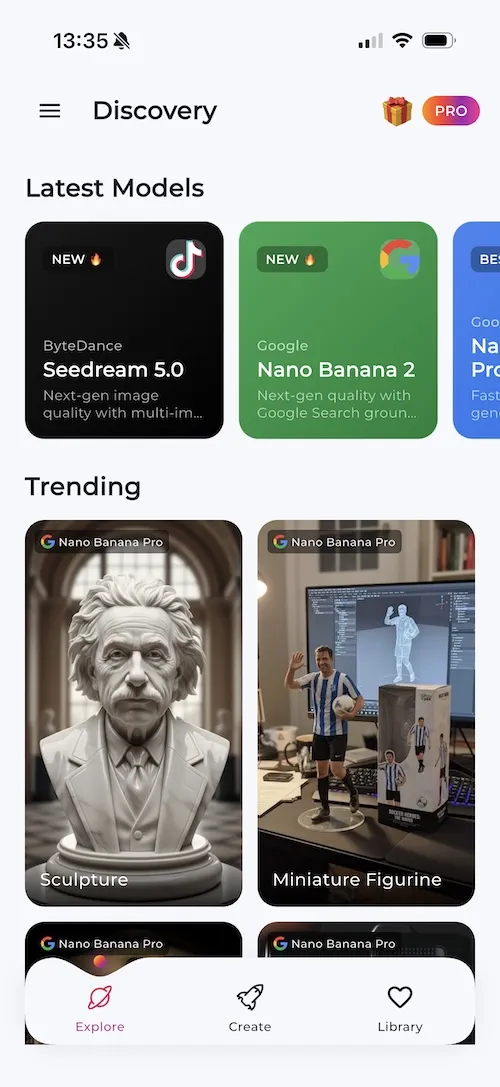
20+ AI Art Models — Always the Latest Technology
LUNA gives you access to the most powerful AI image generation models available. We constantly add new models so you always have cutting-edge creative tools at your fingertips.
Scroll to explore all models. New AI models are added regularly.
How to Create AI Art with LUNA
Generate AI art on your phone in three simple steps. No design experience needed — just your imagination.
Enter Your Text Prompt
Describe your vision in words. Be as creative and specific as you like — the AI understands natural language.
Select Your Art Style
Choose from anime, oil painting, 3D render, photorealistic, fantasy, cyberpunk, and many more styles.
Download in 4K Resolution
Get your AI-generated artwork in high resolution. Share it, print it, or use it for any project.
The Best AI Art Generator App for Your Phone
Looking for an AI art generator that actually works on your phone? LUNA is an AI art generator app built from the ground up for mobile. Whether you want to turn a text prompt into a stunning portrait, create anime art, or generate fantasy landscapes, LUNA makes it effortless.
What makes LUNA different from other AI image generators? It starts with the models. LUNA gives you access to over 20 AI art models — from Flux 2 Pro and Seedream 5.0 to Imagen 4, Ideogram 3, and Recraft V4. Each model has its own strengths, and LUNA lets you switch between them to find the perfect look for your creation. We add new models regularly, so you always have the latest AI art technology right in your pocket.
Create Any Art Style with AI Image Generation
LUNA works as a text-to-image AI app that understands what you want. Describe a “cyberpunk samurai in neon-lit Tokyo” and you'll get exactly that. Ask for a “serene watercolor landscape at golden hour” and the AI delivers. The AI art generator handles everything from photorealistic portraits to surreal abstract compositions, anime characters, oil painting effects, and 3D renders.
You don't need any design skills. Whether you're a professional artist looking for inspiration or someone who has never drawn a single line, LUNA's AI art creator makes professional-quality digital art accessible to everyone.
AI Portrait Generator and Avatar Maker
Want to turn your selfie into AI art? LUNA's AI portrait generator creates stunning artistic interpretations of real photos. Use it as an AI avatar generator for your social profiles, or explore styles you've never tried before. From hyper-realistic portraits to fantasy character designs, the possibilities are endless.
Pro Tip for Better AI Art
“Add descriptors like ‘cinematic lighting,’ ‘vibrant colors,’ or ‘detailed texture’ to your prompts. These keywords help the AI image generator produce richer, more polished results.”
Who Is LUNA For? — AI Art for Every Creator, No Experience Needed
The best AI art generator for beginners and pros alike. LUNA was built so that anyone — regardless of artistic background — can create images that look genuinely incredible. Here's how six very different types of creators use LUNA every single day.
Students & Young Creatives
The Best AI Art App for Students Who Want to Create Without Limits
If you're studying graphic design, illustration, animation, or literally any creative field, LUNA is the ai art generator no experience needed shortcut that actually teaches you something. You learn what works visually by seeing your prompts come to life — and you learn fast. Instead of spending hours in Photoshop trying to rough out a concept, you can use LUNA to generate a dozen variations of an idea in under five minutes.
Students use LUNA for school projects, portfolio pieces, mood boards, and just plain experimentation. The app gives you access to 20+ AI art models, each with different aesthetics and strengths. Want to pitch a concept for a short film? Generate storyboard-style frames. Working on a branding project? Create visual directions quickly to show your class. Exploring character design? Use the anime ai art generator to sketch out dozens of characters before committing to one.
The thing that makes LUNA stand out for students is that it removes the technical barrier entirely. You don't need a powerful laptop, a drawing tablet, or years of practice. You pull out your phone, type what you're imagining, and the AI art generator does the heavy lifting. It's not cheating — it's using a creative AI tool the same way architects use CAD software or musicians use DAWs. It accelerates your workflow and lets you focus on the ideas that matter.
Young creatives also love experimenting with style transfer and generative AI art techniques. LUNA lets you explore aesthetics — oil painting textures, cyberpunk color grading, watercolor softness — without having to master each one separately. It's genuinely one of the best AI art apps 2026 has to offer for anyone who's still figuring out their creative identity.
Content Creators & Influencers
AI Art Generator for Content Creators Who Need to Post Every Day
The content grind is real. Posting consistently across Instagram, TikTok, YouTube, and X requires a constant stream of fresh visuals — and that's exactly where LUNA fits into your workflow. Content creators and influencers use this ai art creator to produce scroll-stopping imagery without needing a photographer, graphic designer, or a $500 stock image subscription.
Imagine being able to generate a unique, high-quality image for every single post — one that perfectly matches your aesthetic, your niche, and your caption — in under 30 seconds. That's what LUNA enables. You can dial in a consistent visual style using specific prompt patterns and stick with it across your entire feed. Photographers use it for creative inspiration. Lifestyle creators use it for fantasy editorial shots they could never afford to shoot. Niche meme accounts use it to generate endlessly original content.
The ai portrait generator is particularly popular with creators who want to build a personal brand around a stylized version of themselves. Upload your photo, pick a style — say, a cinematic oil painting or a hyper-detailed 3D render — and you've got a profile picture, banner image, or content thumbnail that nobody else has. It's genuinely original content, made by an ai avatar generator that understands what looks good.
For creators who rely on machine learning art and generative AI art trends, LUNA keeps you ahead of the curve. New AI models drop regularly inside the app, meaning you always have access to whatever is producing the most visually impressive results at any given moment. It's how you stay relevant in an algorithm that rewards novelty.
Small Business Owners
AI Art Generator for Small Businesses That Can't Afford a Design Agency
Running a small business means doing everything yourself — including the marketing visuals. Hiring a designer for every social post, product mockup, or promotional banner isn't realistic when you're bootstrapping. LUNA is the digital art creator that levels the playing field, giving you access to the same quality of AI-generated visuals that big brands pay thousands for.
Small business owners use LUNA to create product lifestyle imagery, social media content, banner ads, menu designs, event posters, and branding mood boards. A candle brand might generate dreamy, soft-lit imagery that matches their aesthetic. A food truck might create vibrant, appetite-triggering visuals that work perfectly on Instagram. An Etsy seller might generate mockup-style product photography that showcases their items in beautiful settings — no studio required.
The ai image generator is particularly useful for businesses in visually competitive niches. When your competitors are posting polished, professional-looking content and you're working with a smartphone camera and no graphic design background, LUNA bridges that gap immediately. Type a description of exactly the vibe you're going for, pick the right style, and you get a high-resolution image ready for download and posting.
Because LUNA Pro includes commercial rights to generated images, small business owners can use their creations confidently in advertising, print materials, websites, and social platforms. This creative AI tool pays for itself the first time it replaces a stock photo subscription or a freelancer invoice.
Professional Artists
How Professional Artists Use AI Art Generation as an Inspiration Engine
If you're a working artist — illustrator, concept artist, photographer, or graphic designer — LUNA is one of the most practical tools you can add to your creative workflow. The best ai art app 2026 has produced isn't a replacement for human artistry. It's a rapid-fire ideation engine that helps you break through creative blocks and explore directions you might never have considered.
Concept artists use LUNA to rough out visual ideas before committing to a full illustration. Instead of spending hours sketching thumbnails, you generate 20 different compositional ideas in minutes, pick the strongest one, and build from there. The AI handles the initial visual problem-solving — the proportions, the lighting, the color palette — and you take it from there with your own skills and style.
Photographers use the app as a pre-visualization tool. Want to plan a photoshoot in a location you've never visited? Generate a photorealistic AI image showing what a golden-hour portrait session might look like in that environment. It's prompt engineering meets professional planning, and it saves enormous amounts of time on location scouting and pre-production.
Artists who specialize in specific styles — watercolor, oil painting, or 3D render aesthetics — use LUNA to explore adjacent styles and techniques. The style transfer capabilities in diffusion model art let you see how your compositions might look through completely different artistic lenses. It expands your visual vocabulary without requiring you to master an entirely new medium. That kind of exploration is where new artistic directions come from.
Gamers & Avatar Makers
AI Avatar Generator for Gamers Who Want a Profile That Actually Slaps
Your avatar is your identity online. For gamers, Discord users, Twitch streamers, and competitive players, having the right profile picture is a bigger deal than most people admit. LUNA's ai avatar generator lets you create a completely unique, high-quality avatar that represents your personality — not a stock photo or a generic cartoon filter.
Want a cyberpunk warrior version of yourself for your Discord server? A fantasy knight character for your Twitch profile? An anime-style portrait for your YouTube gaming channel? LUNA generates all of this from text descriptions alone, and you can iterate until it looks exactly right. The ai art generator anime capability is especially popular in gaming communities where that aesthetic dominates.
Beyond avatars, gamers use LUNA to create custom server banners, stream overlays concepts, fan art of their favorite games, and original character art for tabletop RPG campaigns. The 3D render style produces visuals that look like they came straight out of a AAA game cutscene. The fantasy style nails the high-epic look of games like Elden Ring or World of Warcraft. If you play it, LUNA can probably generate stunning art inspired by it.
The ai art generator works on your phone, which matters because gaming communities are increasingly mobile-first. You can generate a new avatar mid-session, post it to your Discord instantly, and never break the gaming flow. It's the kind of mobile-first creative AI tool that fits naturally into how gamers actually live — not how desktop software assumed they would.
Social Media Managers
AI Art Creator for Social Media Managers Juggling Multiple Brands
Managing social media accounts for multiple brands or clients means you need a library's worth of original visuals every single week. Stock photo sites get repetitive, Canva templates start looking like everyone else's content, and commissioning custom illustrations for every post isn't in the budget. That's where LUNA changes everything.
Social media managers use LUNA as their secret weapon for producing on-brand, visually distinctive content at scale. For a wellness brand, you might prompt “soft golden morning light, botanical elements, peaceful bedroom, photorealistic” and get gorgeous lifestyle imagery. For a streetwear client, “urban rooftop, neon signs, cinematic night photography, editorial style” produces exactly the edgy aesthetic the brand needs.
The ai art generator from text capability means you can brief a visual the same way you'd brief a photographer or designer — in plain language — and get high-quality results in seconds. For social media managers who live in spreadsheets and content calendars, this is a genuine productivity revolution. What used to take hours of searching, sourcing, and editing now takes a few minutes of prompt engineering.
The neural network art produced by LUNA also tends to perform exceptionally well on social platforms algorithmically. AI-generated imagery has distinctive visual qualities — vivid colors, perfect lighting, dramatic compositions — that naturally catch the eye while scrolling. When you need content that stops the scroll and drives engagement, the creative AI tool advantage is real and measurable. LUNA is truly an ai art generator no experience needed solution for teams of any size.
AI Art Styles Generator — 7 Visual Worlds to Explore
LUNA's ai art styles generator lets you switch between wildly different visual aesthetics with a single tap. Each style uses specialized model configurations trained to nail that specific look. Here's a deep dive into every style, with example prompts and the best ways to use each one.
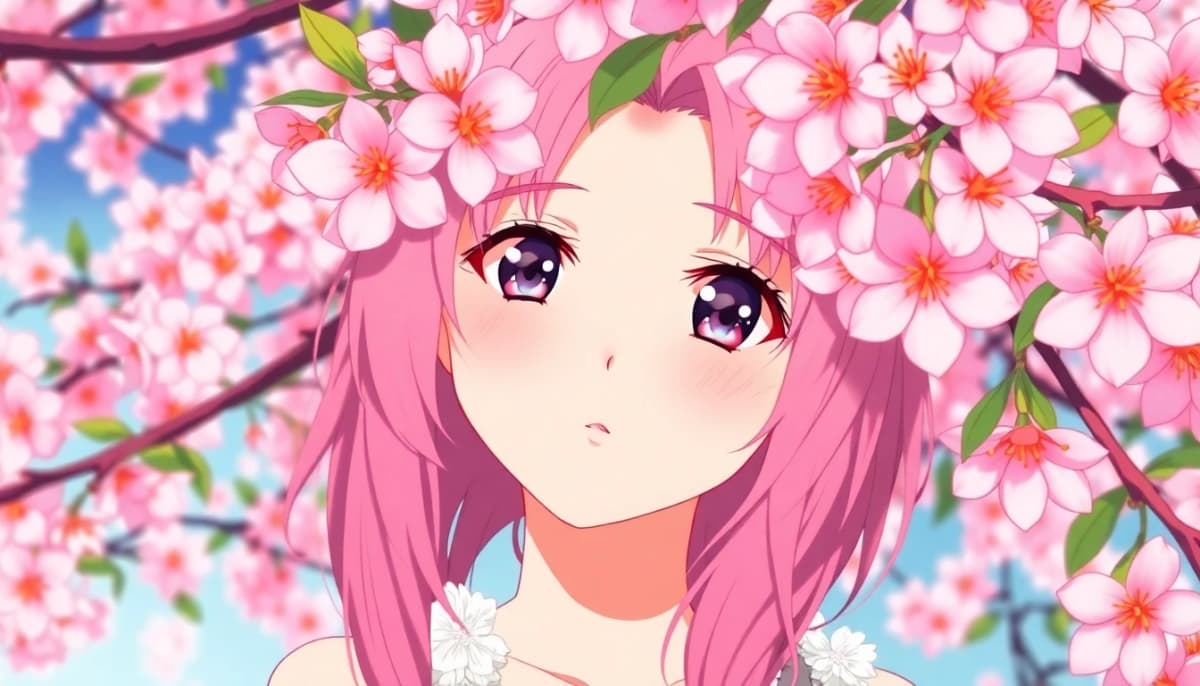
Anime Art Style — The AI Anime Art Generator
LUNA's anime art style is one of the most requested features in any ai art generator, and for good reason. The anime aesthetic spans an enormous range — from the soft, painterly look of Studio Ghibli films to the high-contrast action style of modern shonen manga, the brooding darkness of seinen, and the pastel sweetness of slice-of-life shows. LUNA's AI understands the visual language of each sub-genre and renders it with remarkable fidelity.
What makes a great anime-style generation is the combination of expressive linework, vibrant color palettes, characteristic eye styles, and the distinctive way light and shadow work in 2D animation. The diffusion model art powering LUNA's anime style has been trained on a massive range of anime aesthetics, so it responds well to very specific style references in your prompts.
Example Prompts
- 01“Young samurai girl, cherry blossoms, Studio Ghibli style, soft watercolor, golden hour light”
- 02“Cyberpunk anime cityscape, neon rain, dark seinen aesthetic, dramatic shadows, detailed background”
- 03“Magical girl transformation, sparkles, pastel palette, shojo art style, expressive large eyes”
Best for: Character designs, fan art, profile pictures, manga-style storytelling, anime-inspired posters
Fantasy AI Art — Epic Worlds Built from Words
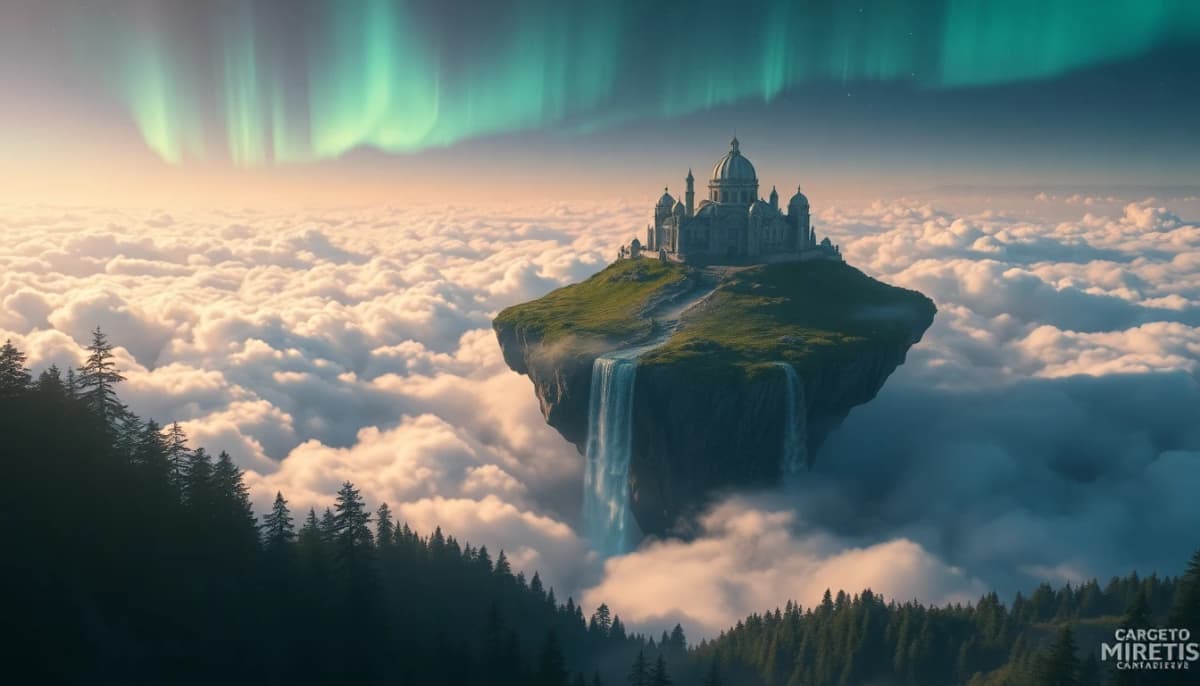
Fantasy is where the ai art generator truly has no limits. The style draws on the visual traditions of high fantasy illustration — think elaborate architecture, sweeping landscapes, mythical creatures, ancient magic, and the kind of dramatic lighting that makes everything look like it belongs in an epic novel cover. LUNA's fantasy style brings together the painterly quality of concept art with the narrative richness of fantasy worldbuilding.
What makes LUNA's fantasy ai art style exceptional is how it handles complex scenes with multiple elements. Ancient dragons soaring over castle ruins with storm clouds in the background — the kind of scene that's nearly impossible to photograph and expensive to commission — generates beautifully. The neural network art has learned the visual grammar of fantasy: the way magic glows, how armor catches light, the scale and grandeur of epic landscapes.
Example Prompts
- 01“Ancient dragon perched on a crumbling tower, stormy sky, epic fantasy illustration, dramatic lighting”
- 02“Enchanted forest at dusk, glowing mushrooms, fairy lights, ethereal fog, painterly fantasy art”
- 03“Warrior mage casting lightning spell, ruined colosseum, cinematic angle, digital concept art style”
Best for: Book covers, game concept art, worldbuilding, D&D campaign illustrations, wallpapers
Photorealistic AI Images — When AI Art Looks Like a Photograph
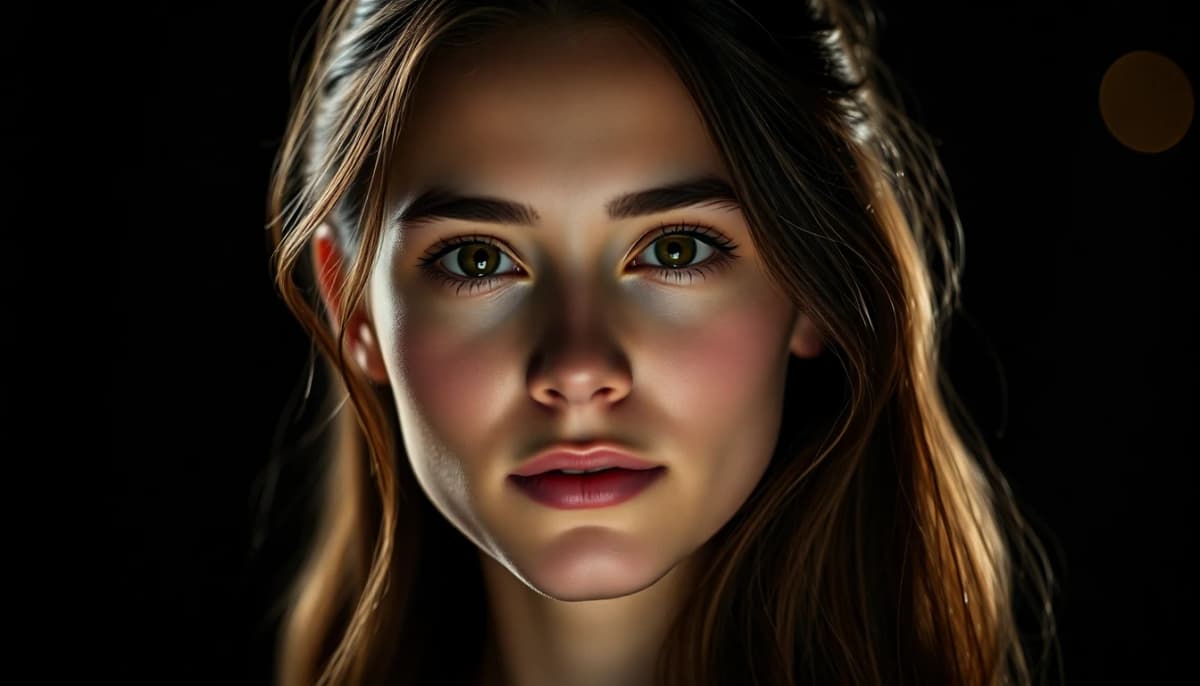
The photorealistic style is where LUNA's most advanced ai image generator models — Imagen 4, Seedream 5.0, and Flux 2 Pro — really shine. These models produce images that can be genuinely difficult to distinguish from professional photography. The skin textures, environmental details, natural light behavior, and depth of field all render with stunning accuracy.
Photorealistic AI images are incredibly versatile. Use them for product mockups that look like studio photography, lifestyle content for brands, portrait art that feels like a real photograph, architectural visualization, food photography, and travel content. The ai art generator handles complex lighting scenarios — golden hour, overcast natural light, dramatic studio strobes — with a level of accuracy that required expensive equipment just a few years ago.
Example Prompts
- 01“Professional female executive, natural window light, bokeh background, 85mm portrait lens, photorealistic”
- 02“Luxury watch product shot, marble surface, side lighting, macro detail, commercial photography style”
- 03“Mountain lake at sunrise, mist on water, photorealistic landscape, golden light, ultra detailed”
Best for: Product imagery, brand content, portrait photography, architecture, food content, travel photography
Cyberpunk Art AI — Neon Futures and Dark Dystopias
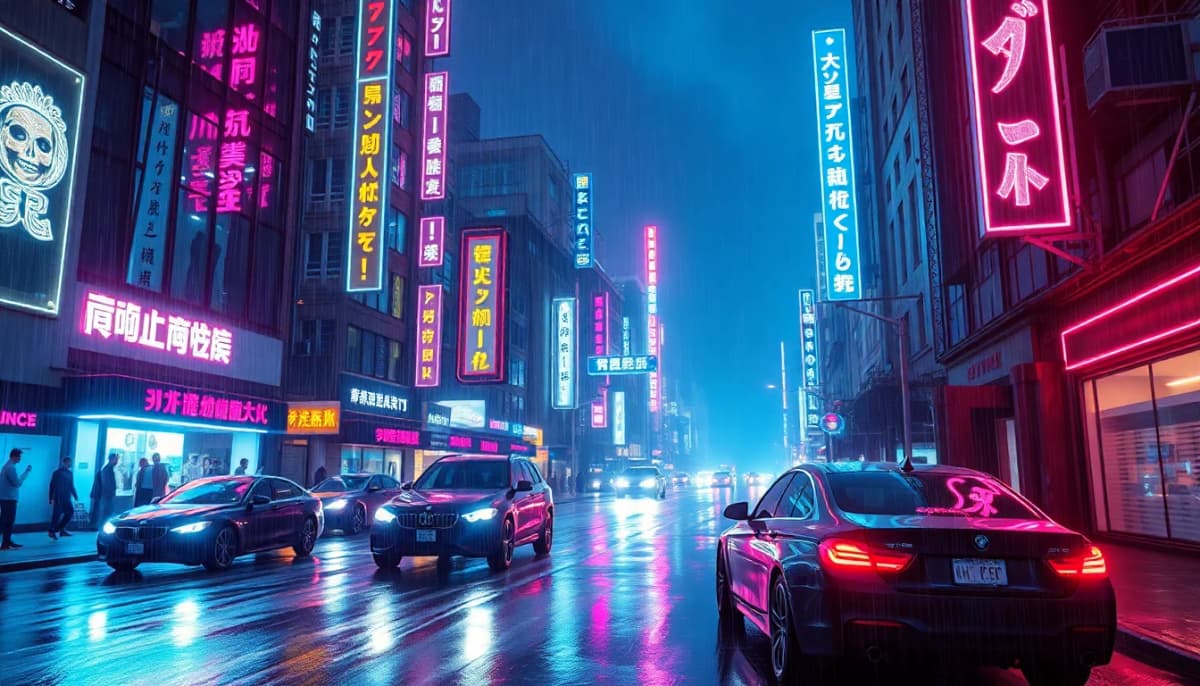
Cyberpunk art AI is one of the most visually distinctive styles in the entire ai art generator ecosystem. The aesthetic is defined by stark contrasts: gleaming neon against rain-soaked darkness, advanced technology alongside urban decay, hyper-detailed cityscapes that feel simultaneously futuristic and decayed. LUNA's cyberpunk style AI has absorbed the visual language of Blade Runner, Ghost in the Shell, and modern neon-drenched digital art.
The color palette that defines great cyberpunk art — deep purples, electric blues, hot pinks, toxic greens, all punching through dense shadow — is something the generative AI art model handles exceptionally well. Whether you're building a character in this style, a full cityscape, or a close-up portrait with cybernetic augmentations, the style transfer capabilities produce striking results that look genuinely crafted, not algorithmic.
Example Prompts
- 01“Female hacker, cybernetic implants, neon-lit alley, rain, purple and blue tones, cinematic cyberpunk”
- 02“Mega-city skyline at night, flying vehicles, holographic ads, Blade Runner aesthetic, ultra detailed”
- 03“Cyberpunk street market, diverse crowd, neon signs, steam vents, gritty realism, atmospheric fog”
Best for: Gaming avatars, sci-fi storytelling, poster art, Discord banners, music artwork, editorial design
Oil Painting Effect — Classical Masters Reimagined by AI
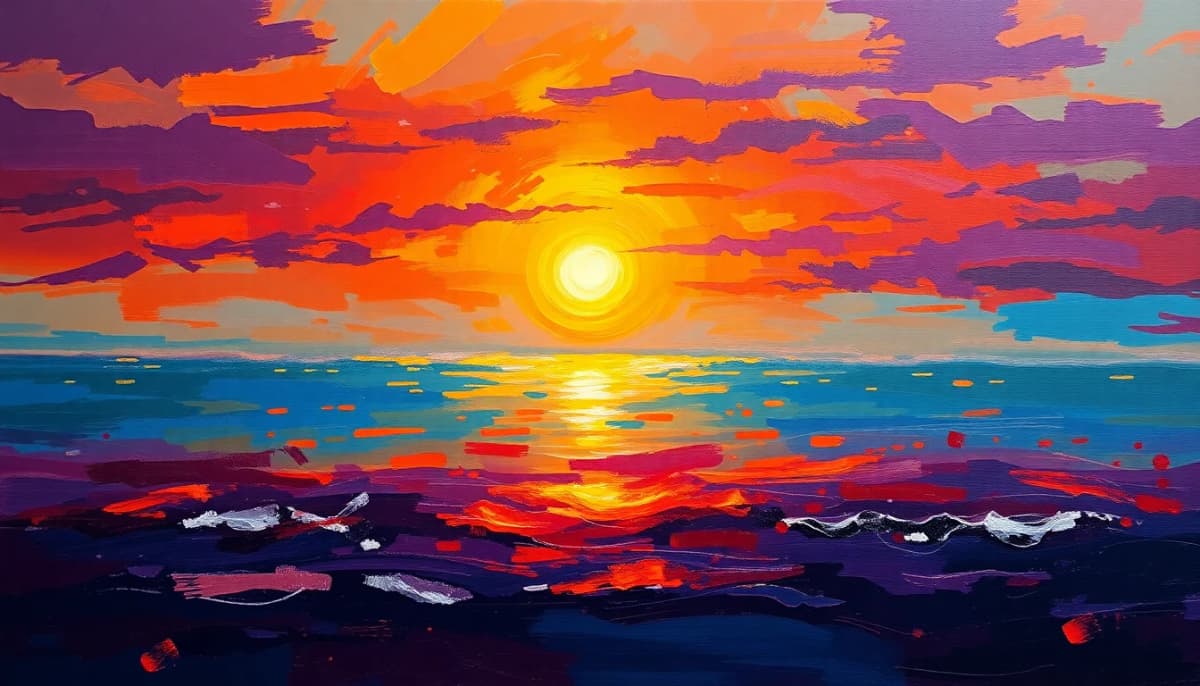
The oil painting effect in LUNA's ai art generator captures something genuinely remarkable: the texture, depth, and warmth of traditional oil painting, rendered by machine learning art models that have studied centuries of classical technique. This isn't a simple filter — the AI understands the way oil paint layers, how glazing creates luminosity, and how the old masters used light to draw the eye through a composition.
You can generate portraits that look like they could hang in the Louvre, landscape paintings in the tradition of the Hudson River School, still life compositions reminiscent of Dutch Golden Age masters, or entirely contemporary subjects treated with classical painting techniques. The style transfer between your concept and the oil painting aesthetic is seamless — it feels painted, not processed.
Example Prompts
- 01“Portrait of a young woman, Rembrandt lighting, rich oil paint texture, dark background, classical style”
- 02“Tuscan countryside at sunset, impressionist oil painting, visible brushstrokes, warm golden tones”
- 03“Still life with fruit and wine glass, Dutch Golden Age style, dramatic chiaroscuro lighting, oil paint”
Best for: Portrait gifts, home decor prints, fine art projects, editorial illustration, historical reimagining
3D Render AI Art — Game-Quality Visuals Without a 3D Software Subscription
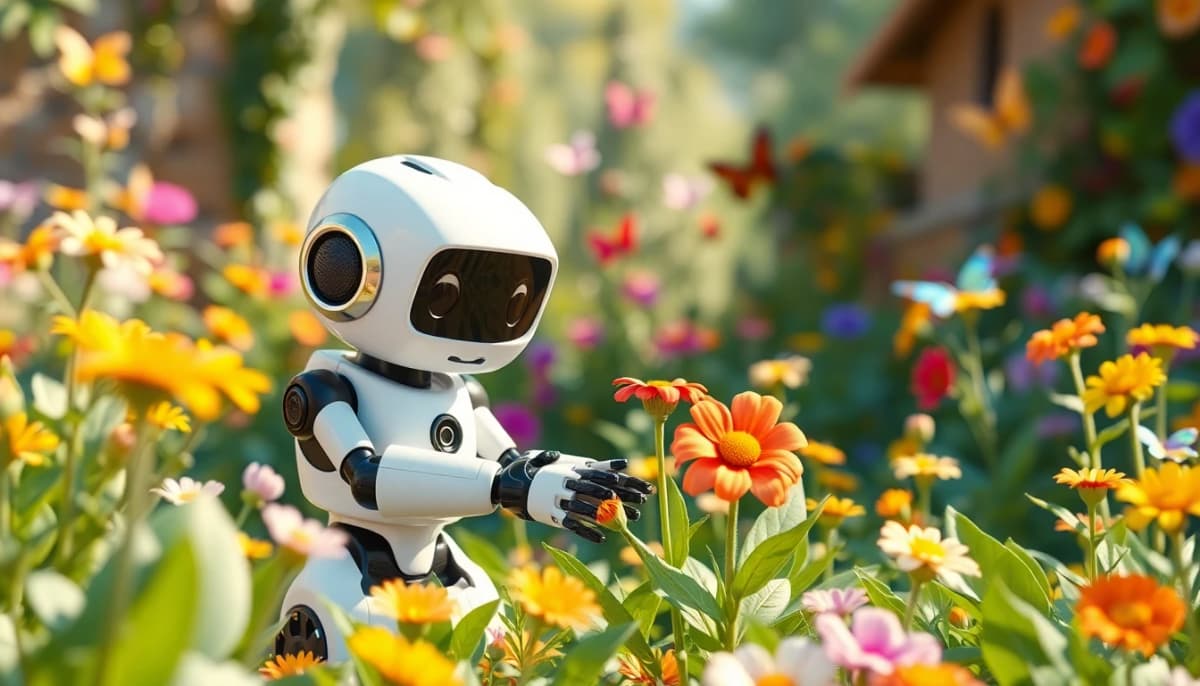
The 3D render style in LUNA produces images that look like they came out of Cinema 4D, Blender, or Unreal Engine — the kind of polished, volumetric, dimensionally correct renders that normally require expensive software and years of technical training. The digital art creator models powering this style understand how 3D objects interact with light sources, how materials reflect and refract, and how to build convincing depth in a 2D image.
Characters rendered in this style look like high-budget video game heroes. Objects look like product renders from an Apple keynote. Environments look like screenshots from a next-gen game. The 3D render aesthetic is particularly popular for gaming-adjacent content, tech brands, and creators who want a polished, hyper-modern look without the Blender learning curve.
Example Prompts
- 01“Futuristic robot character, metallic surface, studio lighting, 3D render, octane render quality, white background”
- 02“Luxury car on salt flats, golden hour, photorealistic 3D render, ray tracing, cinematic angle”
- 03“Abstract geometric sculpture, iridescent material, smooth curves, studio backdrop, 3D art style”
Best for: Tech branding, product visualization, gaming avatars, architecture, social media headers
Watercolor AI Art — Soft, Flowing, and Beautifully Imperfect
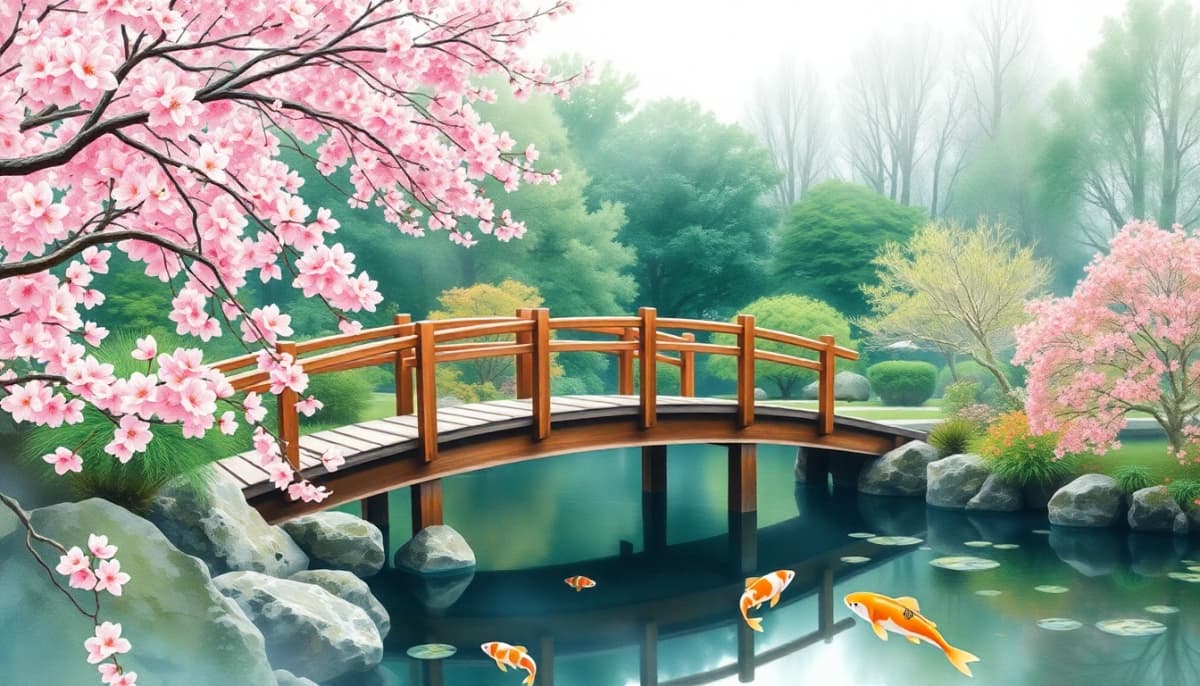
Watercolor is one of the hardest traditional mediums to master — the way pigment blooms and bleeds, the unpredictable edges, the luminosity that comes from the white of the paper shining through translucent washes — all of this requires years of practice to control. LUNA's ai art generator captures the essence of watercolor painting beautifully, producing images with that characteristic organic softness and delicate, almost accidental quality that makes the medium so beloved.
The watercolor style works particularly well for natural subjects — botanicals, portraits, landscapes, animals — where the soft edges and color bleeding feel natural and intentional. It's also a popular choice for illustration-style content that needs to feel handmade and approachable rather than polished and digital. The creative AI tool understands the difference between a tight, controlled watercolor illustration and a loose, expressive plein air wash.
Example Prompts
- 01“Botanical illustration, wildflowers, soft watercolor washes, white paper texture, delicate details”
- 02“Portrait of a child, loose watercolor style, soft focus, pastel tones, impressionistic”
- 03“Coastal village at sunrise, expressive watercolor, color blooming, plein air painting style”
Best for: Greeting cards, book illustration, wedding invites, nature art, brand identity, nursery art
How to Turn Your Photos into AI Art — A Complete Photo Transformation Guide
The ai art generator from photo feature is one of the most popular ways to use LUNA. Whether you want to transform a selfie into a painted portrait, turn a landscape photo into a fantasy scene, or give a group photo an anime makeover — here's everything you need to know to get the best results from AI photo transformation.
Preparing Your Photo for AI Art Generation from Image
The quality of your input photo has a significant effect on the quality of your output art. For the best results with the ai art generator from image feature, you want a photo that is sharp, well-lit, and not too heavily processed already. Blurry or heavily filtered photos tend to produce murkier results because the AI has less visual information to work with.
Ideal source photos have clear subjects, decent lighting, and a resolution of at least 1000 pixels on the shortest side. That said, LUNA's AI is remarkably good at working with imperfect inputs — even older, lower-resolution photos transform surprisingly well. The key is that the subject of your photo should be recognizable and the composition should be relatively clear.
If your photo has a distracting background, that's actually fine — the style transfer will often handle the background in a way that complements the main subject. But if you want tight control over the final composition, consider cropping your photo to focus on what matters most before uploading it to the ai art generator.
Choosing the Right Style for Photo Transformation AI
Not every style works equally well with every type of photo. Here's a quick guide to pairing your photo with the right style for the best photo transformation AI results:
Portraits & Selfies
Work best with: Oil Painting, Anime, 3D Render, Watercolor. These styles enhance facial features while adding artistic interpretation. The ai portrait generator shines here.
Landscape Photos
Work best with: Fantasy, Watercolor, Oil Painting, Photorealistic enhancement. Environmental details translate beautifully into painted styles.
Group Photos
Work best with: Anime, Oil Painting, 3D Render. These styles handle multiple subjects gracefully and create cohesive compositions.
Pet Photos
Work best with: Oil Painting, Watercolor, Fantasy, Anime. Animals transformed into painted portraits or fantasy companions are consistently stunning.
Prompt Tips for Selfie to AI Art and Style Transfer
When using the ai art generator from photo feature, you're combining your image with a text prompt to guide the AI toward your desired result. The text prompt gives the AI art generator direction about what the transformed image should look and feel like, while your photo provides the structural foundation.
For selfie to AI art transformations, keep your prompt focused on the artistic qualities you want rather than describing the subject (the AI can see the subject from your photo). Instead of “a woman with brown hair,” write “dramatic cinematic lighting, oil painting texture, warm amber tones, gallery-quality portrait.” You're describing the artistic treatment, not the subject.
Style transfer prompts benefit from specific artistic references. Instead of just “watercolor,” try “loose impressionistic watercolor, visible paper texture, blooming color washes, plein air style.” The more specific your artistic direction, the more controlled and intentional the result. Think of yourself as an art director briefing a very talented artist.
Lighting descriptors are particularly powerful in photo transformation prompts. Adding “golden hour light,” “soft studio lighting,” or “dramatic chiaroscuro” to your prompt can dramatically shift the mood of the transformed image. The ai image generator picks up on these lighting cues and applies them to the style transfer in ways that can completely change the emotional feel of your final artwork.
Getting the Best AI Art Generator from Photo Results
A few practical tips for consistently getting great results when turning photos into AI art. First, generate multiple variations of the same prompt. LUNA makes this fast and easy, and the slight variations between generations often mean one version turns out dramatically better than the others. Don't settle for the first result — iterate.
Second, use the model selector to try your photo transformation across different AI models. The same photo and prompt processed by Flux 2 Pro versus Imagen 4 versus Seedream 5.0 will produce noticeably different results. Each model has its own visual personality, and some models handle certain photo types better than others. This ability to compare across 20+ AI models in one app is one of the things that makes LUNA the best AI art app 2026.
Third, don't be afraid to increase the strength of the style transfer if you want a more dramatic transformation. A lower strength preserves more of the original photo's details, while a higher strength gives the AI more creative freedom to reinvent the image in the target style. For converting a selfie into a fully stylized anime character, you want a higher style strength. For creating a subtly enhanced portrait that still looks like a photograph, a lower strength works better.
Pro Tips for Specific Photo Types
- Selfies: Shoot in good natural light, look slightly off-camera for a more artistic feel, and avoid heavy Snapchat or Instagram filters before uploading.
- Landscapes: Horizontal crop works best, include sky for mood, and add “dramatic skies” or “atmospheric haze” to your prompt for landscape magic.
- Group Photos: Make sure all faces are clearly visible in the source photo. The AI handles groups best when subjects aren't overlapping significantly.
- Pet Photos: Get close and fill the frame with your pet. A clear, sharp photo of your dog or cat produces oil painting portraits that genuinely look like gallery artwork.
LUNA vs Running AI Art Generators Locally — Which Is the Best AI Art Generator for You?
There are several ways to generate AI art today. You can set up Stable Diffusion or Flux AI on your own hardware, use various browser-based tools, or use an app like LUNA. Each approach has real trade-offs worth understanding. Here's an honest comparison to help you figure out what works best for your situation.
Running Stable Diffusion or Flux AI locally is a powerful option for people who want complete control over every aspect of the generation process and have no problem with technical setup. The appeal is real: once your local setup is running, generations are free, you can fine-tune models with your own data, and you have full control over output files. If you're a developer, AI researcher, or hardcore enthusiast with a high-end GPU and the patience to maintain a local environment, local generation has genuine advantages.
But for the vast majority of people — including most creative professionals — the overhead isn't worth it. Setting up Stable Diffusion from scratch involves installing dependencies, managing CUDA drivers, downloading multi-gigabyte model files, and configuring parameters that take weeks to truly understand. Flux AI has a similarly technical setup process. When something breaks (and it will break), you're troubleshooting stack traces, not making art. That friction is real, and it keeps a lot of people from ever getting started.
| Feature | LUNA App | Stable Diffusion / Flux Local | AI Art Generator Online (Web) |
|---|---|---|---|
| Setup required | None — download and go | Hours to days of setup | Browser login only |
| Hardware needed | Any iPhone or Android | 8GB+ VRAM GPU required | Any browser |
| AI models available | 20+ always updated | Manual download per model | Typically 1–5 models |
| Mobile-friendly | Native app, mobile-first | Desktop only | Varies, often poor on mobile |
| Model updates | Automatic, always latest | Manual downloads | Depends on service |
| 4K output | Yes, built-in | Possible with extras | Usually limited resolution |
| No GPU required | Yes — runs in the cloud | GPU required | Yes |
| Generation speed | 3–10 seconds typical | 30s–5min depending on GPU | Varies widely |
Why LUNA Is the Best AI Art Generator Online for Most People
The core advantage of LUNA over both local setups and single-model web tools is breadth combined with accessibility. With Stable Diffusion or Flux AI running locally, you typically use one or two models that you've downloaded and configured. With most web-based ai art generator online tools, you're locked into whatever model that platform has chosen. LUNA gives you 20+ models in a single mobile app, each updated automatically when newer versions are released.
That means when a new model drops — say, Seedream 5.0 or Imagen 4 — LUNA users get access to it immediately, without downloading anything or reconfiguring their setup. You're always on the cutting edge of what AI art generation can do, with zero maintenance overhead. For most creators, that trade-off is obvious: spend your time making art, not managing software.
The mobile-first design also genuinely changes what AI art generation feels like. Being able to pull out your phone during a commute, at a coffee shop, or mid-conversation and generate a concept in 10 seconds makes the creative AI tool feel like an extension of your thinking rather than a destination you visit on your desktop. That immediacy changes how you use it and how often you reach for it.
The Complete Guide to AI Art Prompts — How to Use Text to Image AI Like a Pro
Prompt engineering is the art of communicating with an AI image generator in a way that reliably produces the results you want. It sounds technical, but the core principles are intuitive once you understand how diffusion model art works. This guide covers everything from the fundamental prompt formula to advanced techniques and common mistakes to avoid.
The AI Art Prompt Formula for Text to Image Generation
The single most useful framework for writing effective prompts is a five-part structure. When you include all five elements, your ai art generator from text results become dramatically more consistent and intentional. Here's the formula:
Who or what is in the image
The artistic aesthetic
How the scene is lit
The emotional tone
Technical specifics
[Subject] + [Style] + [Lighting] + [Mood] + [Details] = Consistently great AI art
15+ Example Prompts to Create AI Art from Text — Every Category
These prompts are designed to give you a feel for how the formula works across different subjects and styles. Use them as-is or remix them as starting points for your own create AI art from text sessions.
Portraits & Characters
Landscapes & Environments
Abstract & Conceptual
Negative Prompts — Telling the AI What to Avoid
Negative prompts are one of the most powerful but underused tools in ai art generator from text workflows. While your main prompt tells the AI what you want, negative prompts tell it what to avoid. This is especially useful for preventing common AI art artifacts and steering away from unwanted aesthetic elements.
Common Negative Prompts for Quality
- —blurry, out of focus, motion blur
- —deformed hands, extra fingers
- —watermark, signature, text overlay
- —low quality, low resolution, JPEG artifacts
- —overexposed, underexposed, washed out
Style Refinement Negative Prompts
- —photorealistic (for pure illustration styles)
- —cartoon, anime (for photorealistic work)
- —dark, gloomy (for bright, cheerful content)
- —busy background, cluttered (for clean compositions)
- —multiple subjects (when you want a single focus)
Common Prompt Engineering Mistakes and How to Fix Them
Mistake 1:Being too vague
Problem: Prompts like “a cool dragon” give the AI almost no useful direction. The results will be random and inconsistent.
Fix: Add style, lighting, mood, and detail: “a sleek eastern dragon, watercolor illustration, moonlight glowing through translucent scales, serene and ancient mood, misty mountain background”
Mistake 2:Overloading with conflicting elements
Problem: Trying to pack too many contradictory ideas into one prompt confuses the AI. “Dark and bright, realistic and cartoonish, indoor and outdoor” creates muddled outputs.
Fix: Pick a clear primary direction and add supporting details that all point the same way. Every element in your prompt should serve a unified vision.
Mistake 3:Ignoring the model's strengths
Problem: Each AI model in LUNA has different strengths. Using a model optimized for photorealism to generate anime art gives mediocre results.
Fix: Match your style choice to the right model. Ideogram 3 for text-heavy images, Flux 2 Pro for cinematic portraits, Hunyuan Image for anime. Experiment and learn each model's personality.
Mistake 4:Not iterating
Problem: Generating one image and accepting it, even when it's not quite right. The power of AI art generation is in rapid iteration.
Fix: Generate 4–8 variations of each concept, then refine the prompt based on what you see. Each generation teaches you something about how the AI interprets your specific prompt.
Create 4K AI Art on Your Phone — High Resolution AI Images That Print Beautifully
Resolution matters more than most people realize when working with AI-generated art. LUNA's 4K image upscaling and high-resolution output means your AI creations aren't just for screens — they're print-ready, large-format capable, and sharp enough for professional use. Here's everything you need to know about getting the most out of LUNA's high resolution AI art capabilities.
Why High Resolution and 4K Image Upscaling Matter for AI Art
When most AI art generators produce an image, they output at a relatively modest resolution — often 512×512 or 1024×1024 pixels. That's fine for viewing on a phone screen, but the moment you try to print that image or use it in any professional context, the limitations become obvious. At low resolution, AI art loses the fine detail that makes it impressive — the individual brushstrokes, the texture of skin or fabric, the intricate background details that give a piece depth.
LUNA's 4K output and AI-powered upscaling change this equation completely. The app uses dedicated upscaling models that don't just stretch the original pixels — they intelligently hallucinate additional detail based on the content of the image. The result is a high resolution AI art file that actually contains more visual information at large sizes than the base generation, not just a blown-up version of the same pixels. The photo 4K and imagen 4K quality you get from LUNA is genuinely impressive.
Understanding AI Art Resolution Options
| Resolution | Pixel Dimensions | Best Use Cases | Max Print Size |
|---|---|---|---|
| Standard HD | 1024 × 1024 | Social posts, messaging, profile pictures | 5×5 inches at 200dpi |
| Full HD | 1920 × 1080 | Wallpapers, YouTube banners, presentation slides | 9.6×5.4 inches at 200dpi |
| 4K Ultra HD | 3840 × 2160 | Large format print, merchandise, TV display art | 19×10.8 inches at 200dpi |
| AI Upscaled 4K+ | 4096+ pixels on long side | Canvas prints, poster art, gallery exhibition | 24×16+ inches print-ready |
4K AI Art Use Cases — From Phone Wallpapers to Merchandise
Phone & Desktop Wallpapers
At 4K resolution, LUNA-generated art makes stunning lock screen and desktop wallpapers. The high pixel density means every detail is razor-sharp on retina displays and high-DPI monitors. Portrait-oriented 4K art looks extraordinary on modern smartphones.
Social Media Headers
Platform headers (YouTube channel art, Twitter/X banners, LinkedIn headers) are displayed at large sizes and need to hold up across different screen sizes. 4K AI art gives you the headroom to crop and resize without losing quality.
Print-on-Demand Merchandise
Services like Redbubble, Merch by Amazon, and Printful require high-resolution artwork for T-shirts, mugs, phone cases, and prints. LUNA's 4K output meets the resolution requirements for most print-on-demand platforms.
Canvas & Gallery Prints
Want to print your AI art and hang it on a wall? At 4K resolution with LUNA's AI upscaling, you can produce canvas prints up to about 20×16 inches that hold up to close inspection. Gallery-quality AI art from your phone.
Book Covers & Editorial
Self-publishing authors and content creators need high-resolution cover art. LUNA's 4K output is more than sufficient for e-book covers and works for print book covers at standard sizes.
Digital Display Art
Modern smart displays, digital picture frames, and TV-as-art setups benefit enormously from 4K source material. Rotating galleries of your AI art look stunning on a 4K television or large digital display.
How LUNA's 4K Upscaling Works — AI-Powered Resolution Enhancement
Traditional image upscaling — the kind built into your phone's photo editor — is called bicubic interpolation, and it works by mathematically averaging pixel values to fill in new pixels. It works, but the results get soft and blurry at large scale factors. AI upscaling is fundamentally different.
LUNA uses dedicated super-resolution AI models — a different type of neural network art from the image generation models — that have been trained to understand what images should look like at higher resolutions. When the upscaling model enlarges your AI art to 4K, it's not just stretching pixels. It's predicting what additional detail should exist in the areas between original pixels, based on what it knows about how surfaces, textures, and edges work visually. The difference between standard upscaling and AI upscaling is visible immediately and substantial at large output sizes.
The practical result is that you can generate art at a base resolution, then upscale it to 4K and get a file that looks sharper and more detailed at full size than the original base generation. It's a genuine quality improvement, not just a file size increase. That's what makes LUNA's high resolution AI art output suitable for serious professional applications.
Download LUNA AI Art Generator
Join millions of creators making AI art every day. Free on iOS and Android — start creating in seconds.
AI Art Generator — Frequently Asked Questions
Everything you need to know about LUNA and creating AI art on your phone.
Is there an AI art generator app?
Yes, LUNA is an AI art generator app available on both iOS and Android. It lets you create stunning AI art from text prompts in seconds — no design skills needed. Just download LUNA, type a description, and the AI generates your artwork instantly.
How does the LUNA AI art generator work?
LUNA uses over 20 advanced AI models to interpret your text prompts and create unique digital images. You type a description, choose an art style (like anime, photorealistic, or fantasy), and LUNA's AI generates your artwork in seconds. It works as a text-to-image AI app right on your phone.
Can I create anime art with AI?
LUNA's anime AI art generator supports a wide range of styles — classic 90s, modern shonen, Studio Ghibli-inspired, dark seinen, and cyberpunk anime. Just describe your character or scene and select an anime style preset.
What is the best AI art generator app for phones?
LUNA is rated 4.9/5 by over 50,000 users and offers 20+ AI models, 4K resolution output, and art styles from anime to photorealistic. It's available for free on both iPhone and Android.
Can I use AI-generated art for commercial projects?
Yes, LUNA Pro subscribers have full commercial rights to the images they generate. You can use your AI art for social media, marketing materials, merchandise, and more.
Do I need design skills to make AI art?
No design skills needed at all. LUNA is built for everyone — from complete beginners to professional artists. Just describe what you want in everyday language and the AI handles the creative heavy lifting.
How many AI models does LUNA offer?
LUNA currently offers 20+ AI art models including Flux 2 Pro, Seedream 5.0, Imagen 4, Ideogram 3, Recraft V4, Nano Banana Pro, and more. We add new models regularly to keep you on the cutting edge of AI art generation.
Is there a free AI art generator on iPhone?
Yes, LUNA offers a free tier with daily credits so you can create AI art on your iPhone at no cost. Upgrade to Pro for unlimited AI art generations, priority processing, and 4K resolution downloads.
How do AI portrait generators work?
LUNA's AI portrait generator uses neural networks to either transform existing photos into artistic portraits or create entirely new ones from text descriptions. You can generate AI avatars, stylized selfies, and professional-looking portrait art.
Can I turn a photo into AI art?
Yes, LUNA's AI art generator can transform your photos into different art styles. Upload a photo and choose from styles like anime, oil painting, watercolor, cyberpunk, and more. It's one of the most popular ways to use the app.